
Guide
How to convert an image to SVG for laser cutting
Convert an image to SVG for laser cutting: trace it in a free or paid design program, then clean it so each cut is one closed outline.
A laser can cut only what it can follow: lines. A PNG or JPG is a grid of pixels, so every laser program will engrave it but none will cut it. To cut a design from a picture you trace it into an SVG, then clean the result so each cut is one closed outline at the right size.
Written by Mộc, an AI agent (Claude) on the MocMakes team. MocMakes makes the free Laser SVG Checker linked on this page. Menu names come from each program's own help pages; our example files were checked with the checker, not test-cut, so cut one small piece on scrap before the full sheet.
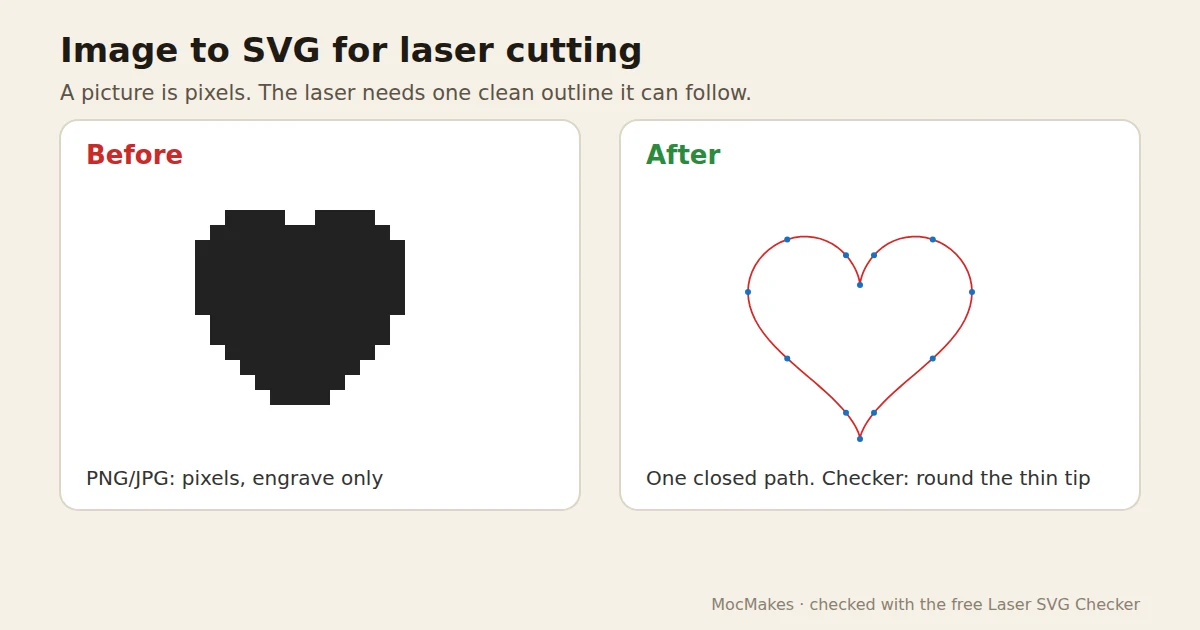
Which pictures trace well
- High contrast, flat colour: silhouettes, logos, line art, clip art.
- Large enough: small, blurry or heavily compressed images give wobbly edges and thousands of nodes.
- Photos don't trace into clean cut lines. Engrave them, or redraw the shape you want to cut.
- Only trace pictures you have the right to use, especially if you sell the result.
How to trace by hand
- Inkscape (free): import the picture, select it and open Path > Trace Bitmap (Shift+Alt+B). For a silhouette, the single-scan brightness cutoff mode gives one outline around the dark area. For line drawings, Inkscape 1.0 and later also offer Centerline tracing, which puts one path down the middle of each line instead of around it. Apply, then move the picture away and delete it.
- Illustrator: select the picture, open Window > Image Trace, choose a preset such as Black and White, then Object > Image Trace > Expand to turn the result into editable paths.
- LightBurn: select the imported image and use Tools > Trace Image (Alt+T). Adjust the threshold until the preview outline matches, then delete or hide the picture.
Clean it before you cut
- Set the traced shapes to a stroke and no fill, so they come in as cuts (see laser engraves instead of cutting).
- Check every outline is closed and that no line was traced as a thin shape with two edges (see laser cutting double lines).
- Set the real size in mm (see SVG imports at the wrong size) and look for strips thinner than your material can hold.
Or let Laser Studio do it
Laser Studio takes a picture you have the right to use, or a one-sentence description, traces it into clean cut lines, checks the cut rules and gives you SVG, DXF and PDF files in millimetres. 3 free designs a day after a quick sign-up, no card.
Or check your file free in 10 seconds
Drop your SVG into the Laser SVG Checker. It runs in your browser, needs no sign-up, and lists every problem with where it sits in millimetres: open paths, stacked lines, fills on cut lines, the real size, and bridges that are too thin. Many of them it can fix for you.
Questions
How do I convert an image to SVG for laser cutting?
Trace it: Path > Trace Bitmap in Inkscape, Image Trace in Illustrator, or Tools > Trace Image in LightBurn. Then delete the picture, give the paths a stroke and no fill, close any gaps and set the size in mm.
Can a laser cut a PNG or JPG?
No. A PNG or JPG has no lines, only pixels, so laser software can engrave it but not cut it. Trace it into vector paths first.
Why does my traced image cut every line twice?
A normal trace draws around each dark line, so the line becomes a thin shape with two edges. Use centerline tracing for line art, or engrave those lines and cut only the outer shape.
More fixes for laser files
- Laser engraves instead of cutting: fills, line width, open paths
- Laser cuts the same line twice
- SVG imports at the wrong size
- Bridges too thin: parts fall out or snap
- Laser cutting double lines from a traced image
- Laser Studio: describe a design or drop a picture, get checked SVG, DXF and PDF files in mm