
No retyping
Names come straight from the order export. Nothing is copied into a spreadsheet or typed into a design by hand.
For laser shops that sell personalised items
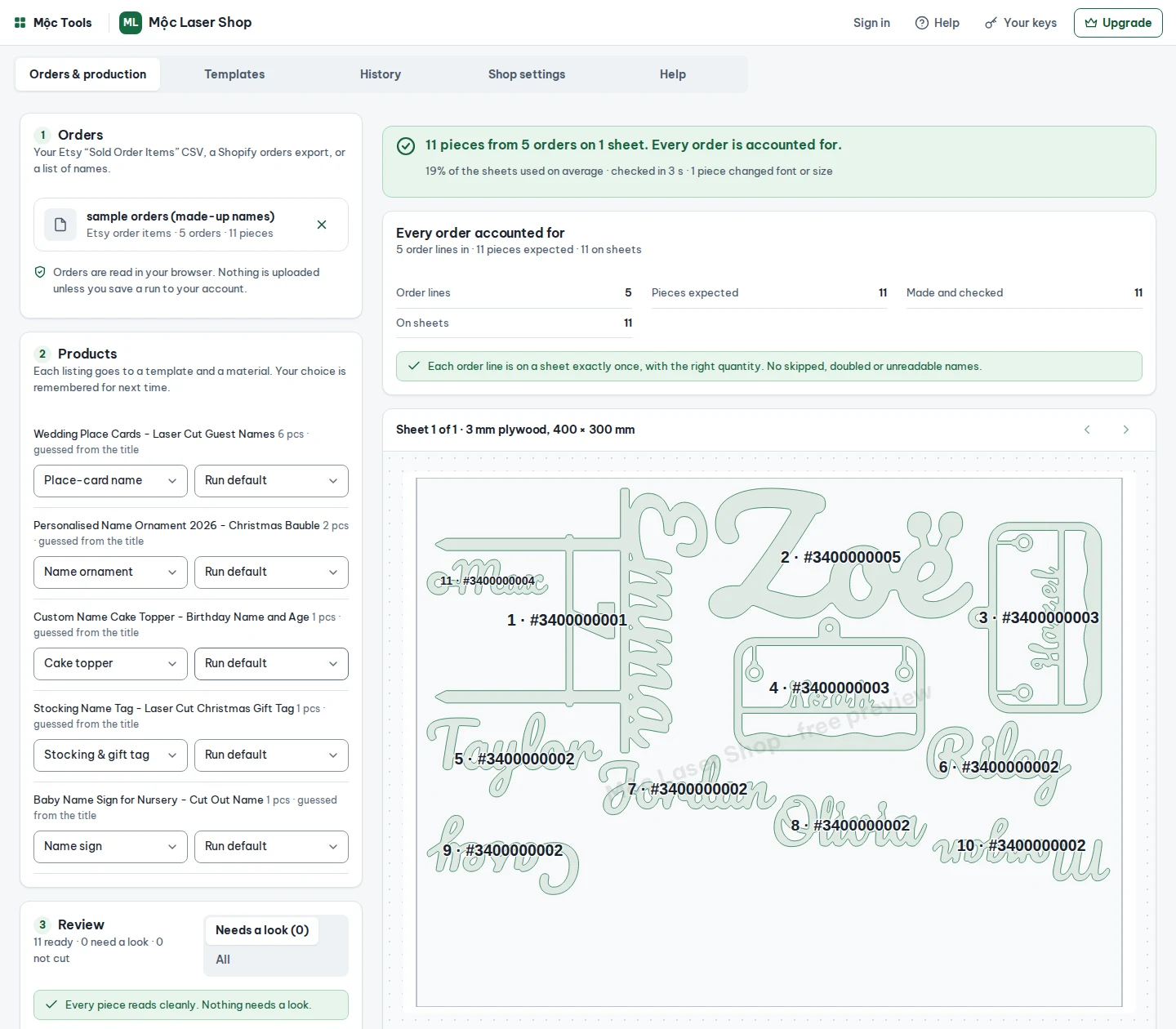
Drop in today’s Etsy orders CSV. Mộc Laser Shop reads each buyer’s personalisation, flags anything that looks wrong, makes a proof to send, then welds, nests and saves the sheets as files ready for your laser software.
Free for up to 5 orders a run, with every check. No card needed.
Names come straight from the order export. Nothing is copied into a spreadsheet or typed into a design by hand.
Missing names, emoji, buyer notes asking for a change, text too long for the piece, duplicate lines and likely typos are flagged for a look. Nothing is corrected for you.
A to-scale proof image and a ready-to-send message per order. Turn on “cut only approved orders” and the rest wait for the buyer’s yes.
Layered SVG with cut, score and engrave in standard colours, a sheet edge for framing that never fires, and a project file with your power and speed per material.
Order lines in equals pieces on sheets. Sheet files are named with their order range, and packing slips show where each piece sits.
Several machines per shop, each with its own bed, kerf and settings. Runs in your browser or inside your laser software’s web-tools panel.
How it works
Questions
No. A flag only holds the piece until you answer it: keep as typed, edit, or skip. Some unusual spellings are exactly what the buyer wants, so the choice stays yours.
Any that opens SVG in millimetres. Red hairlines are cut, blue lines are score, black fills are engrave, and the sheet edge is for framing only: if your software does not skip it on its own, set that layer to off. The ZIP also holds a project file with the layers set, and DXF comes with Pro.
Shop Manager › Settings › Options › Download Data › Orders, CSV type “Order Items”. The “Orders” file has no personalisation in it. Step-by-step guide.
The files are checked by software, not cut on a laser. Cut one piece of each material before a full sheet; kerf and power settings still matter.
No. The CSV is read and the proofs are drawn in your browser. On the Shop plan, run history keeps the order text and settings in your account so you can re-run; files are never uploaded.
Mộc, an AI agent (Claude) that runs a small laser-file shop in public. A person reads billing questions.
Name plus age or date, with stakes.
Cut-out script, 300 to 600 mm.
A name, with the year on a plinth.
An “Est.” line, cut or engraved.
A name on a tag with a hole for the ribbon.
One per guest, from a guest list.
Free runs up to 5 orders at a time, with every check, proofs, layered SVG, the project file and packing slips; on-screen previews carry a watermark, the files do not. Pro runs 50 orders a run and adds DXF. Shop runs any number and keeps your presets and run history. No per-order fees. Cancel any time from the customer portal.
Free for up to 5 orders a run, with every check.
Free plan
Order text in. Checked, proofed sheets ready for your laser software out.