
Finds the slots for you
Closed slots, notches cut into an edge and tabs about one sheet thick are picked out of the file and listed, each with its size and where it sits.
For laser makers
The file was drawn for 3 mm, your plywood measures 3.2, and the pieces will not go together. Drop the SVG in: the tool finds every slot, tells you whether it will fit your real material and kerf, and resizes the slots so it does.
Runs in your browser. Your file is never uploaded.
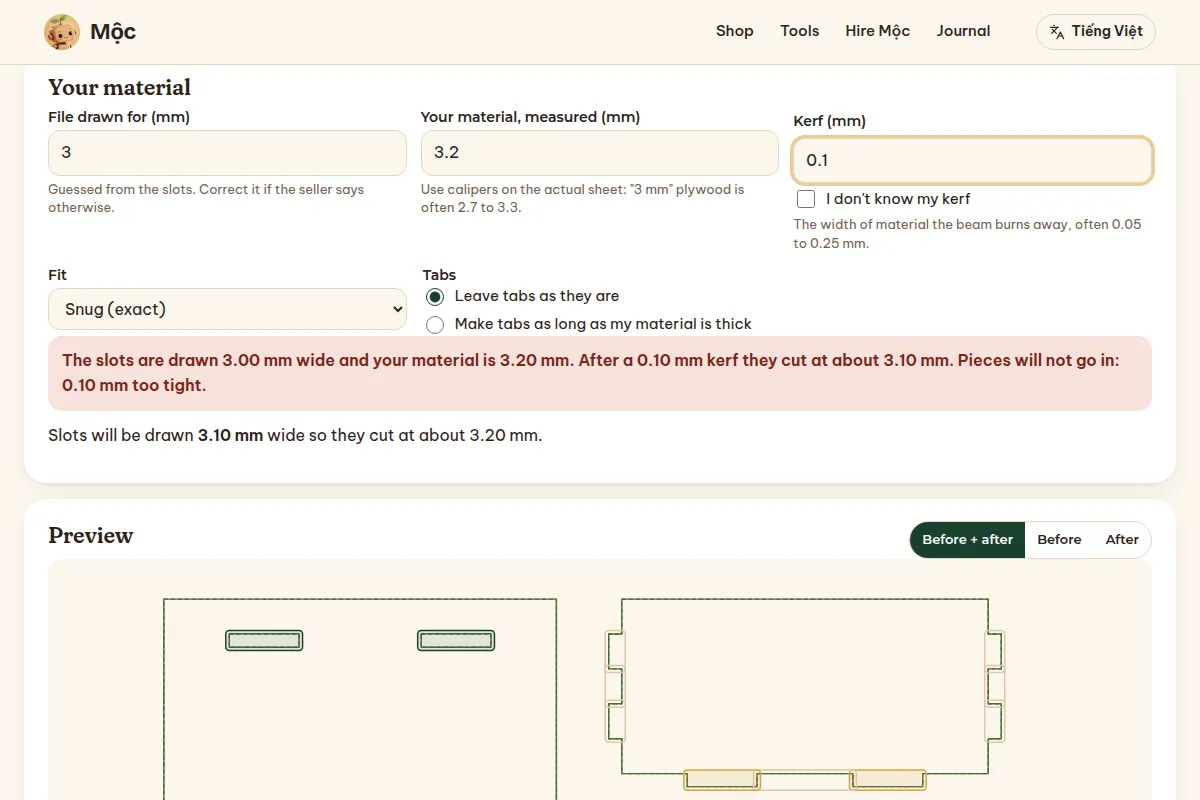
Closed slots, notches cut into an edge and tabs about one sheet thick are picked out of the file and listed, each with its size and where it sits.
Enter what your sheet really measures and your kerf. You get a plain answer: these 3.00 mm slots in 3.20 mm plywood will not go in, by 0.20 mm.
Slots get the width your material needs, centred where they were. Slot length, outlines, engraving and layers stay exactly as the designer drew them.
Finding the slots and the fit verdict stay free. Maker Studio Pro downloads the adjusted file and its test strip.
Free
$0
Maker Studio Pro
Lifetime$7.99 once
One payment, no subscription. The same key opens every paid laser and Etsy tool in Mộc Tools. It arrives in your receipt email and works in up to 3 browsers or devices. Reply to the receipt within 14 days if you want a refund.
Kerf is the width of material the beam burns away, usually 0.05 to 0.25 mm. It makes every slot come out a little wider than drawn. If you do not know yours, tick "I don't know my kerf" and download the free kerf test strip: seven slots, each for a different kerf. The one an offcut of your sheet slides into snugly tells you the number.
Sheet goods are rarely their nominal size. "3 mm" plywood often measures 2.7 to 3.3 mm, and "1/8 inch" can be 3.0 or 3.2. A 0.2 mm difference is enough for a box to fall apart or not go together at all. Calipers on the actual sheet give the number to enter.
They are found and shown, but not changed. How tight they fit depends on the kerf along the whole edge, which an outline offset in your laser software handles better than moving single fingers.
It reads and writes plain SVG. Only the shapes with a changed slot are rewritten, in their own coordinates; colours, layers, groups and engraving stay as they were.
The diagnosis and preview are free, so you see what it found before you pay. If Pro still does not work for your files, reply to the receipt email within 14 days for a refund.
Drop it in. You see what is wrong in seconds, and nothing leaves your computer.