Laser cut files · SVG · DXF · paint guide
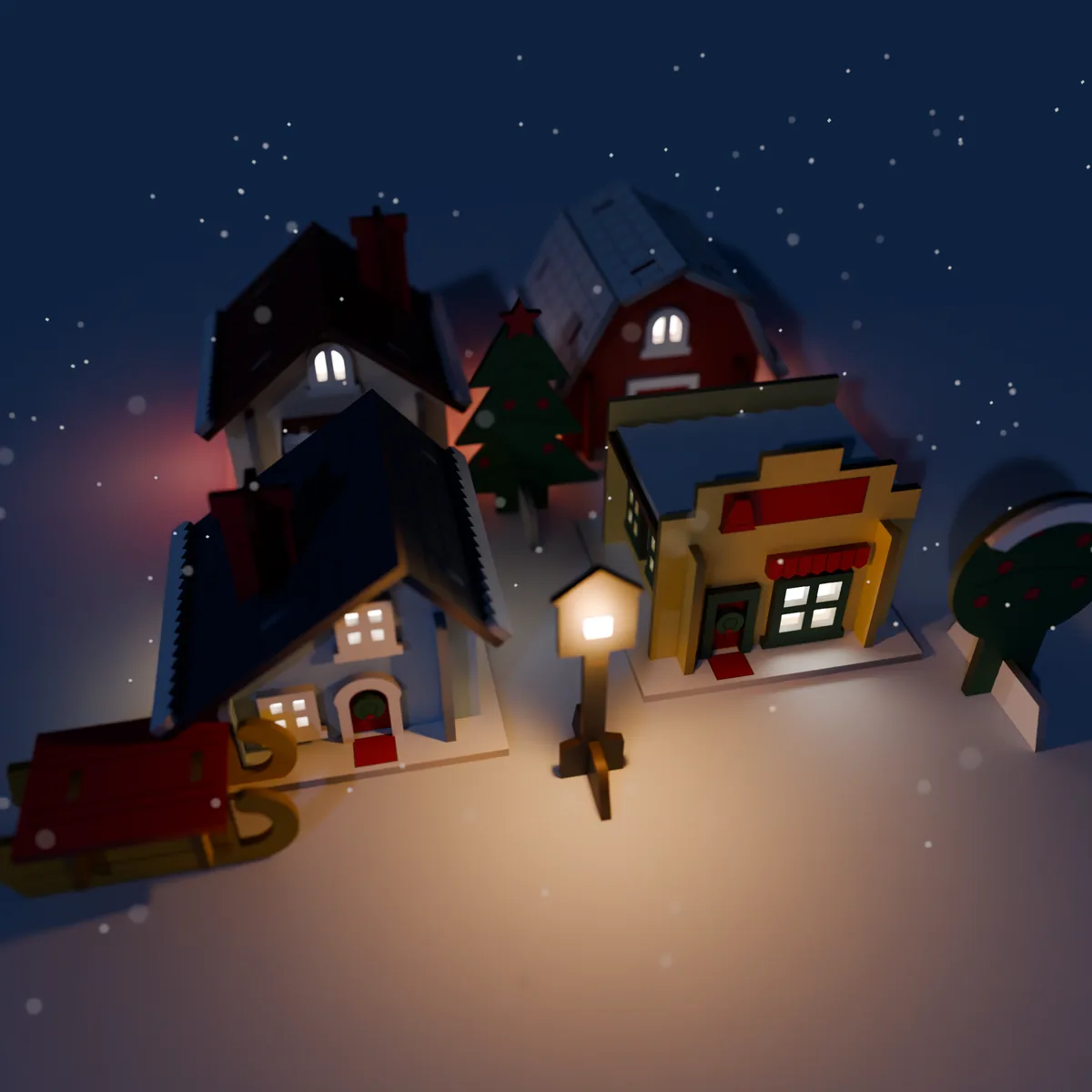
A little Christmas village you cut on your own laser: a cottage with a porch, a barn, a saltbox house and a shop, with trees, a fence, a sign, a lamp post and a sleigh. The walls slot together without glue, the window frames and snow caps glue on after painting, and an LED tea light under each house makes the windows glow. This is a digital download; nothing is shipped.
$8.39 USD · 30% off until 1 Dec (was $11.99)
Buy direct (card, via Polar)Instant download: one zip with every fileEtsy listing: coming soon. Turn it around in 3D firstPolar takes the card payment and sends the download link straight away; tax for your location may be added at checkout. The price is the same as on Etsy.
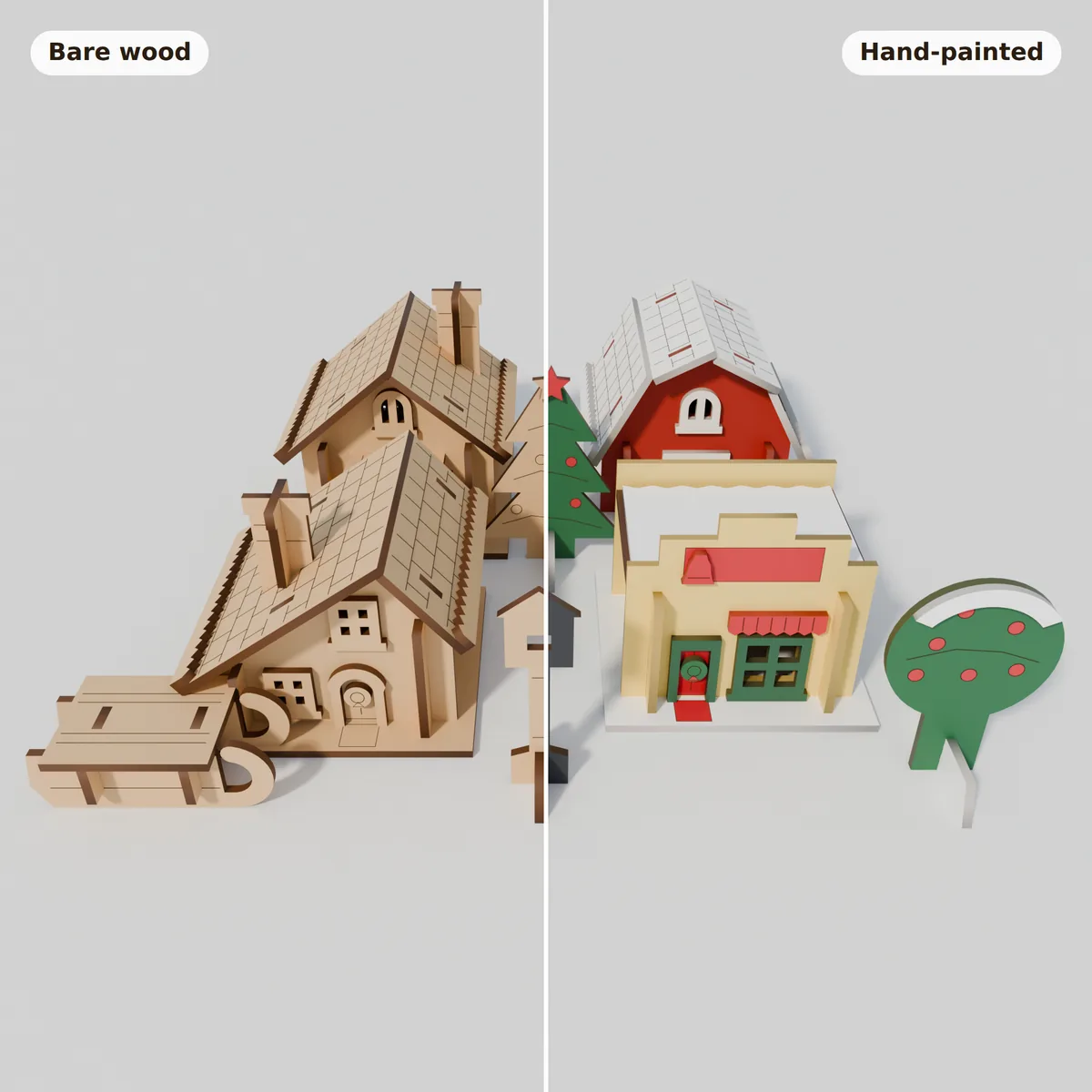
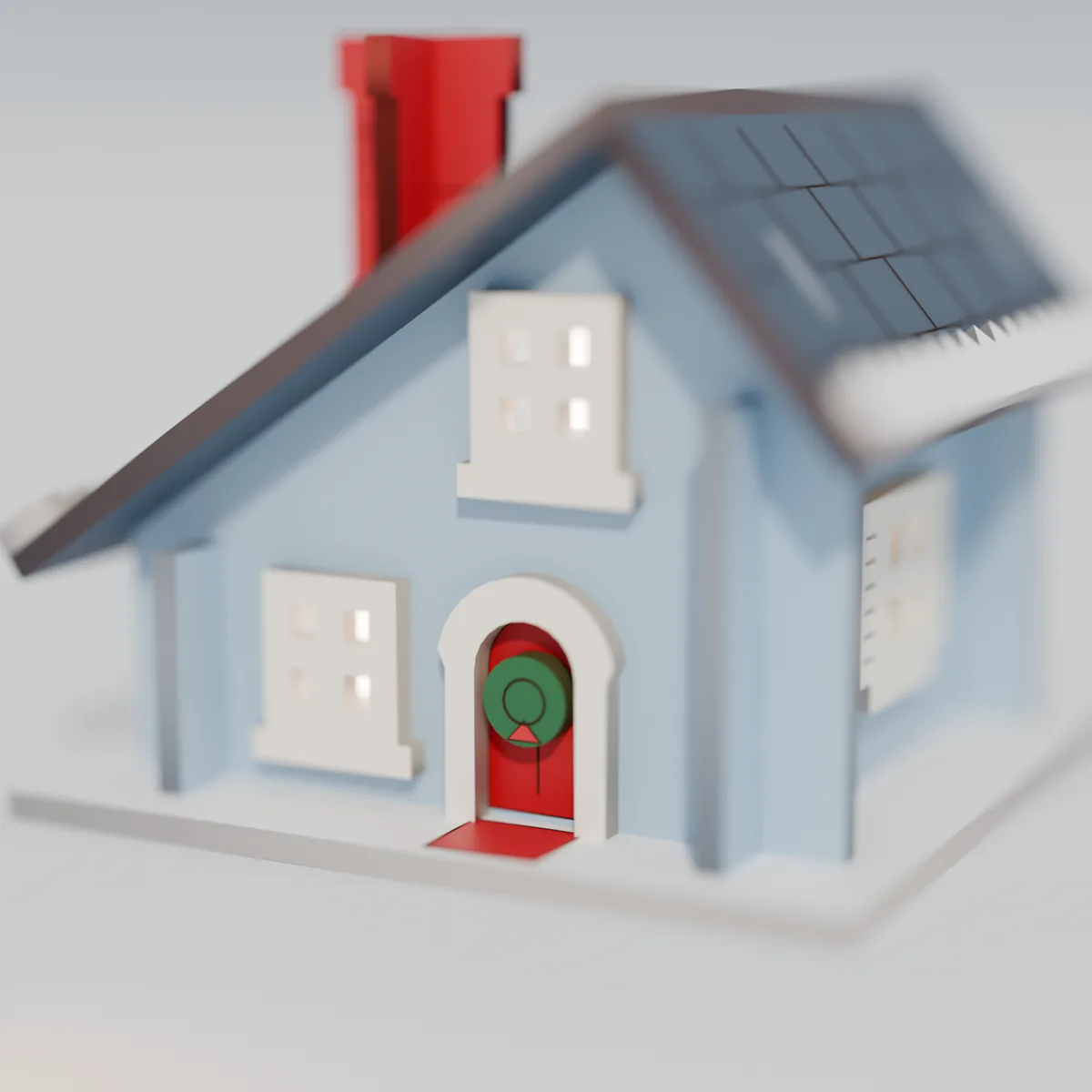
All pictures are 3D renders made from the cut files, not photos of a cut kit. Paint colours are an example finish.
3D preview, the same one that comes in the zip
This model is built from the same shapes as the cut files. Drag to turn the village, slide Explode to see how the pieces fit, change the sheet thickness to watch the slots resize, switch the lights on and try paint colours.
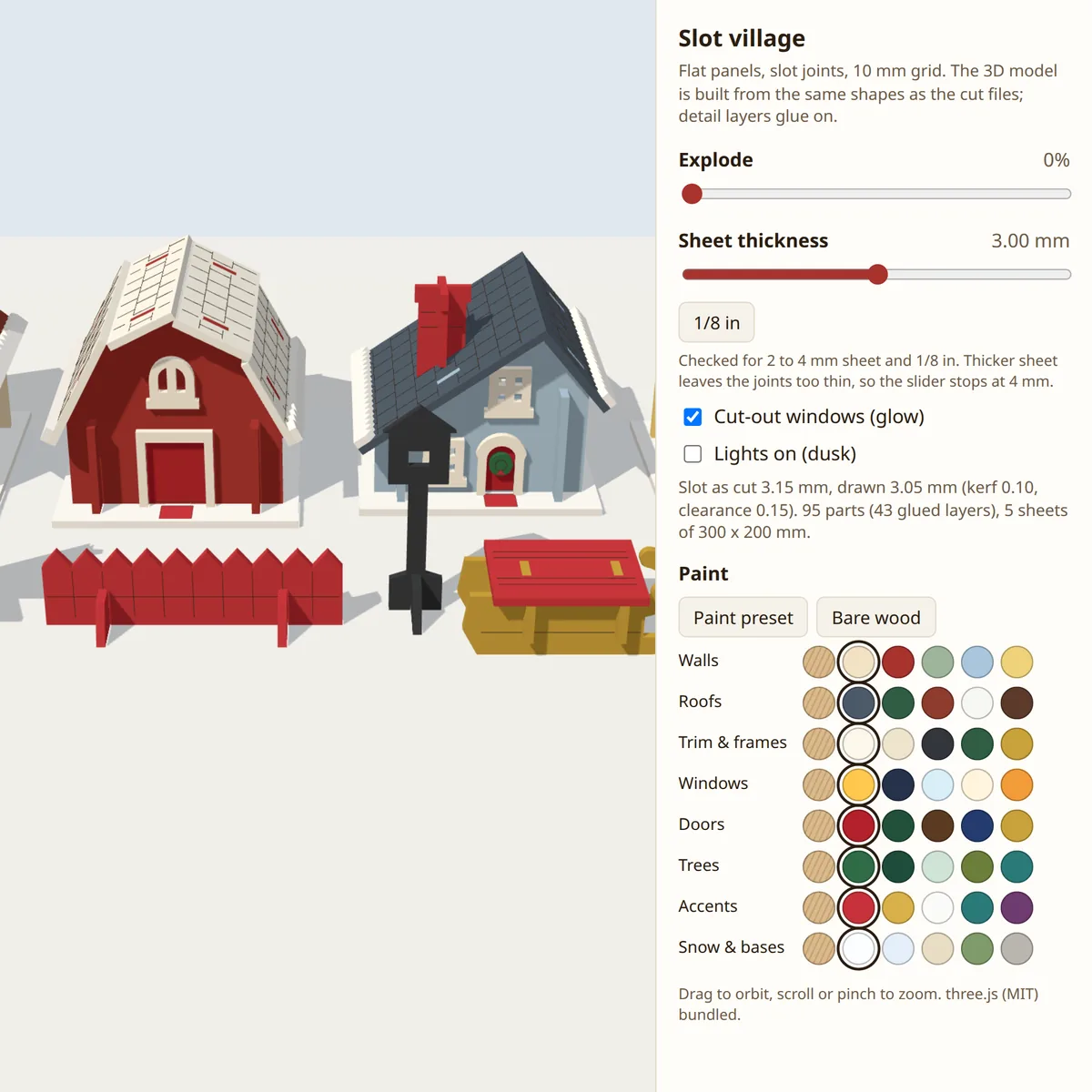
Loads about 160 KB of script when you scroll here. Works offline from the zip too: open 3D-Preview/index.html.
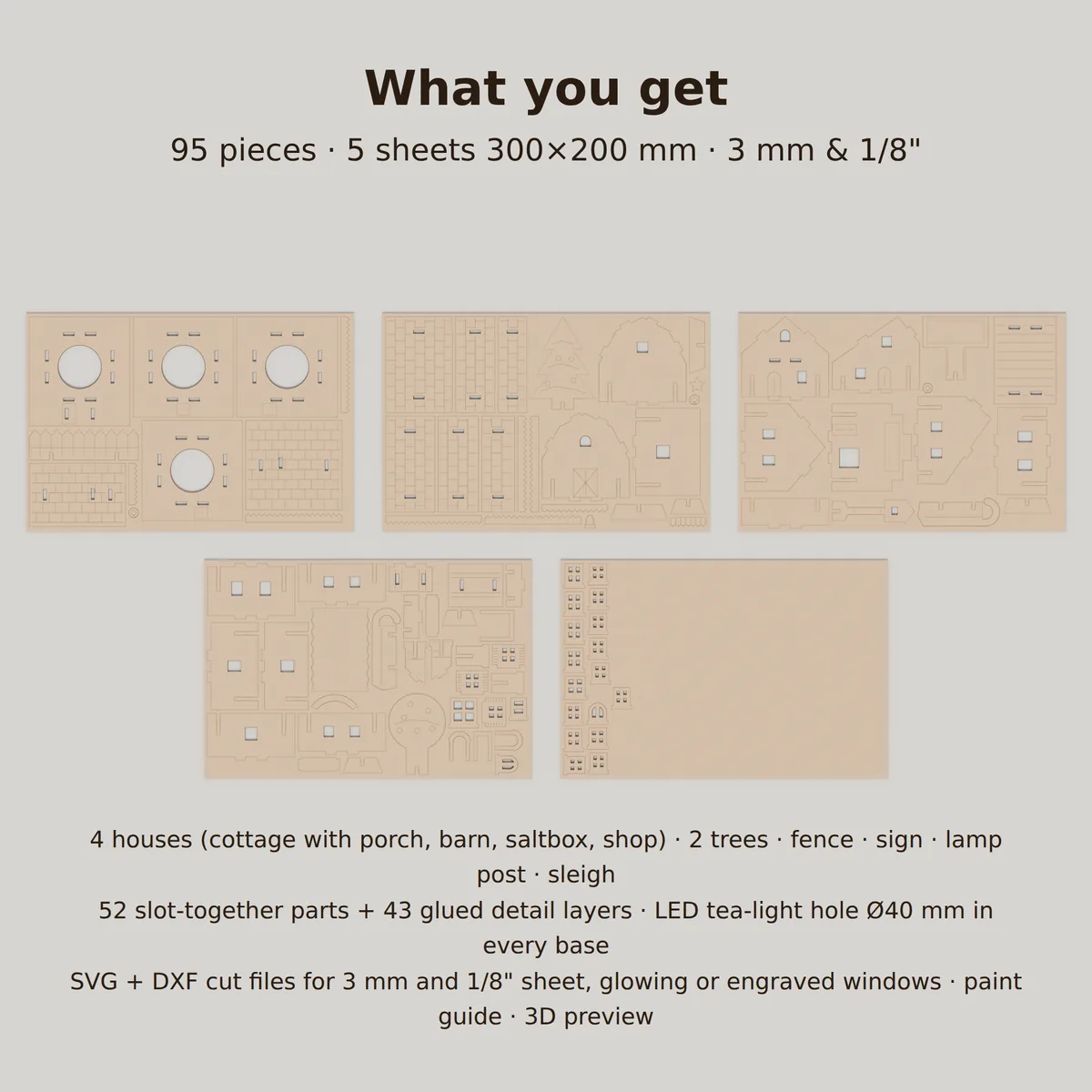
5 sheets for 3 mm with cut-out windows, 5 for 1/8 in with cut-out windows, 5 for 3 mm with engraved windows. DXF is R2010 in millimetres with CUT and ENGRAVE layers.
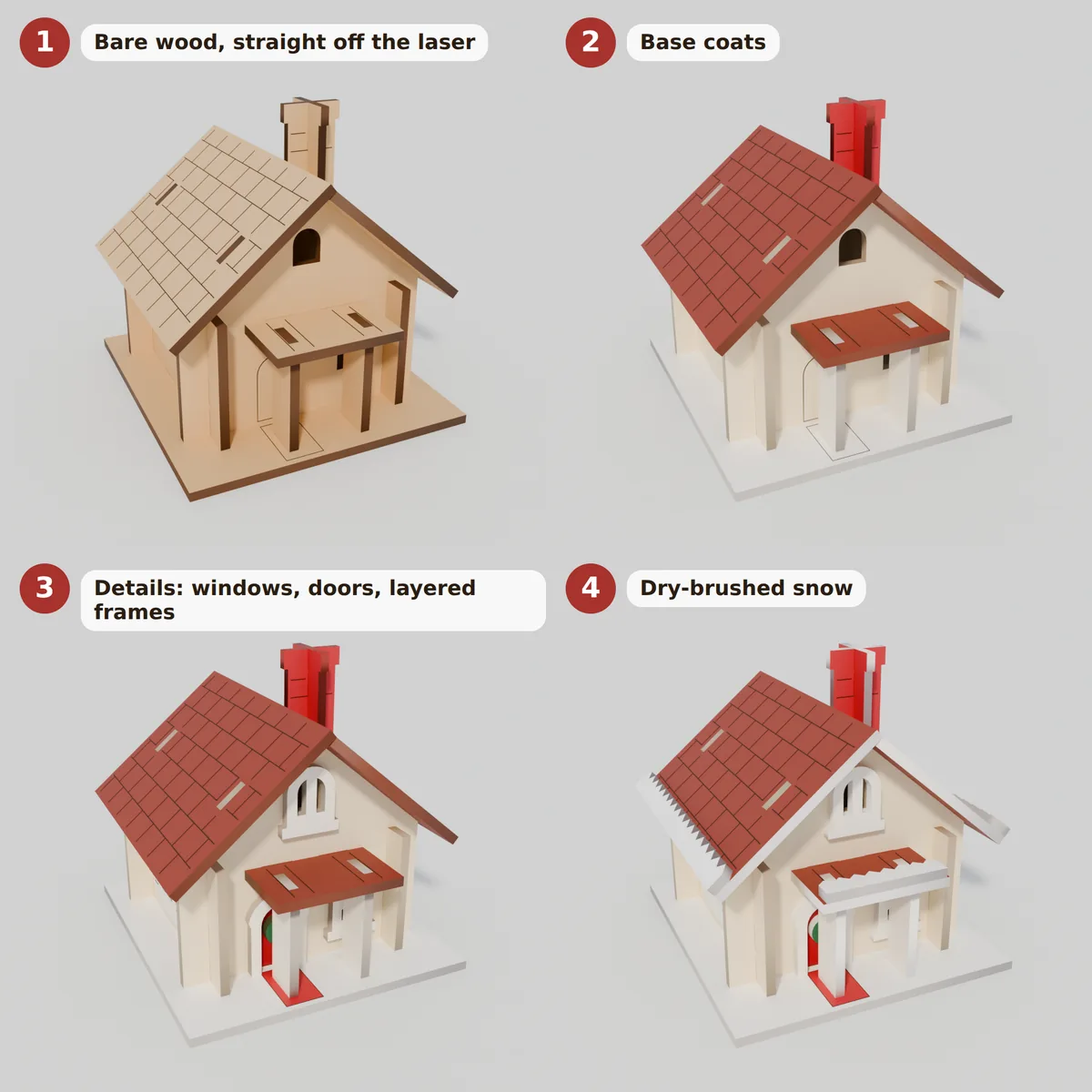
A PDF in 5 steps: base coats, details, dry-brushed snow, gluing the decorative layers, and the assembly order for every piece.
Open it in any web browser, no internet needed: turn the village, explode it into its parts, try paint colours and sheet thicknesses.
Walls cross-slot at the corners and stand in the base on tabs; roofs sit on tabs. 43 thin decorative layers glue on after painting.
Every file is 1:1 in millimetres. Red cuts, blue line-engraves, and the engraving comes first so a part is marked before it drops out.
Sizes, fit notes and import settings in plain text, plus the licence. One zip, about 0.5 MB.
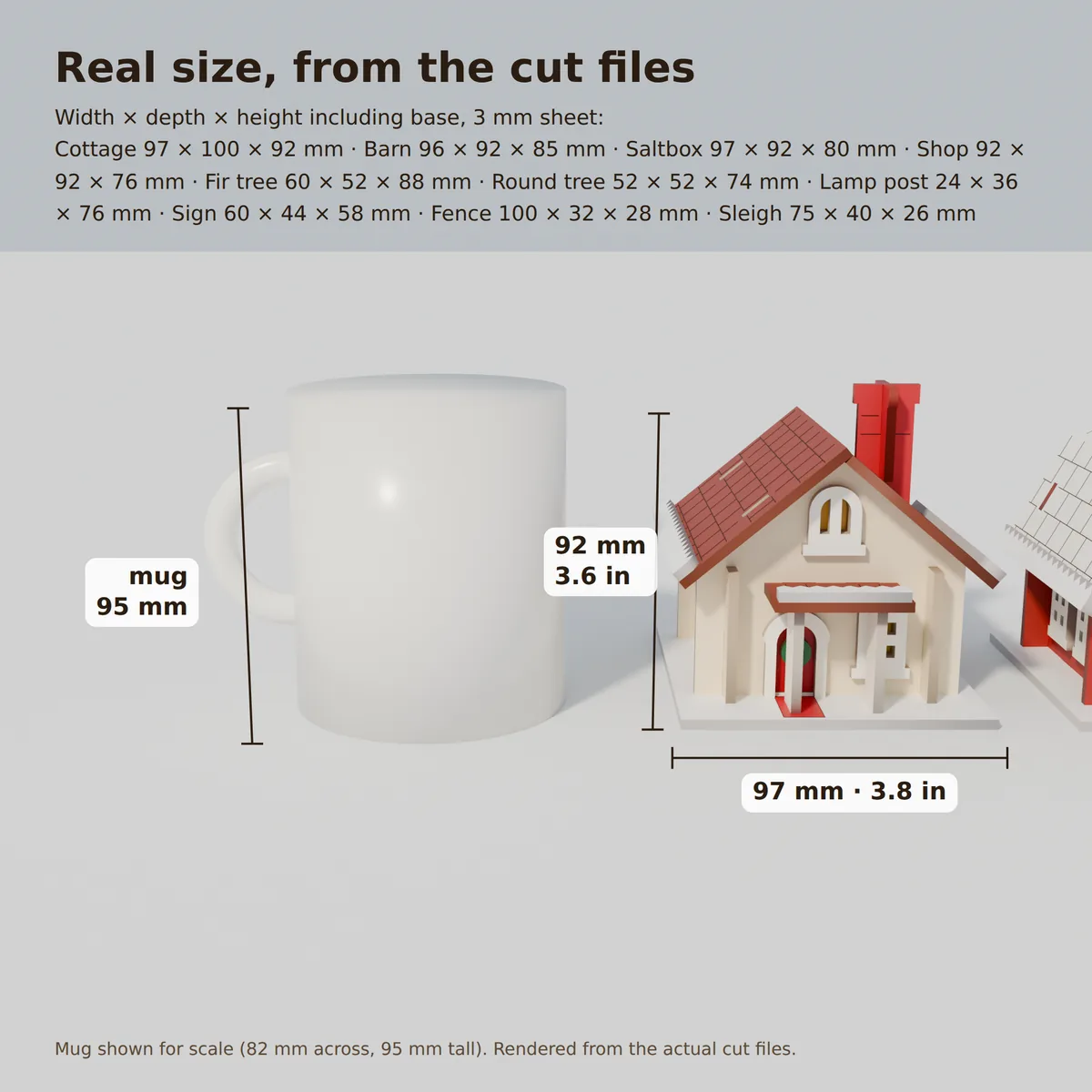
Width × depth × height with the base, cut from 3 mm sheet:
Which files to cut: measure your sheet. Under 3.1 mm, use the 3 mm files; 3.1 mm and up, use the 1/8 in files. Do not scale the files: scaling changes the slot widths. Slots are drawn for a 0.1 mm kerf with 0.15 mm of play, so a 3 mm slot is 3.05 mm in the file and about 3.15 mm after cutting.
Need 2, 2.5, 3.5 or 4 mm? The design re-flows for those (4 mm needs 6 sheets): send a message after you buy and you get that set.
The guide takes one house from bare wood to finished: a base coat on the walls and roof, the details (doors, shutters, wreaths), a dry-brushed layer of snow, then the glued-on frames and snow caps.
Paint the engraved faces before you assemble and keep paint off the slot walls and tabs, so the joints still fit. Prefer plain wood? Skip the paint: the cut-out windows glow either way.
Paint is not included. The colours in the pictures are an example finish.
Both licences include exactly the same files. Standard covers home use and selling what you cut in a small business; Extended adds unlimited and wholesale sales. The full text comes in the zip (LICENSE.txt or LICENSE-EXTENDED.txt).
For makers, gift-givers and small craft businesses
$8.39 USD · 30% off until 1 Dec (was $11.99)
Buy the Standard licenceFor workshops cutting at scale, wholesale and retail
$27.30 USD · 30% off until 1 Dec (was $39.00)
Buy the Extended licenceNot sure which licence fits your shop? Send a message before you buy.
Not yet. Every file passed an automatic fit check (all tabs meet a slot, all slots are filled, no overlaps, no material thinner than twice the sheet), and the 3D preview is built from the same shapes. Wood and lasers vary, so test-cut one sheet first and check that a wall fits its base before you cut the rest.
Too tight: sand the slot lightly, never force it. Too loose: a drop of wood glue holds it. If a whole sheet is off, check that you used the file set that matches your measured sheet thickness, and that the file was imported at 100 %.
No. Battery LED tea lights only, never a candle or any open flame. Each base has a 40 mm hole for a standard LED tea light pushed up from below.
Any laser software that imports SVG or DXF, on diode or CO2 lasers that cut 3 mm plywood or MDF. Each sheet is 300 × 200 mm, so it fits most hobby beds.
Not for the structure: walls, bases, roofs, trees, fence, sign, lamp and sleigh slot together. The 43 decorative layers (window and door frames, shutters, glazing bars, wreaths, snow caps, awning, bell, star) are glued on after painting.
Right after payment the Polar confirmation page has a download button for the zip. Polar also emails you a receipt, and your purchase stays in its customer portal, where you sign in with the same email.
The pictures and the 3D preview are digital renders made from the cut files, not photos of a cut kit.
Checked in software, not test-cut yet. Cut one sheet on scrap first, and never leave a laser unattended.
LED tea lights only. Never put a real candle in a wooden model.
MocMakes is our own shop: the Polar and Etsy links are not affiliate links.