
Every order accounted for
Order lines in equals pieces on sheets, each exactly once, with the right quantity. Skipped, doubled or unreadable names block the download until you settle them.
For laser shops that sell personalised items
Drop in today’s Etsy orders CSV. Mộc Laser Shop reads every buyer’s personalisation, welds and sizes each name, checks it will cut cleanly, lays the pieces out on your sheets and tells you which piece goes in which parcel.
Free for up to 5 orders a run, with every check. No card needed.
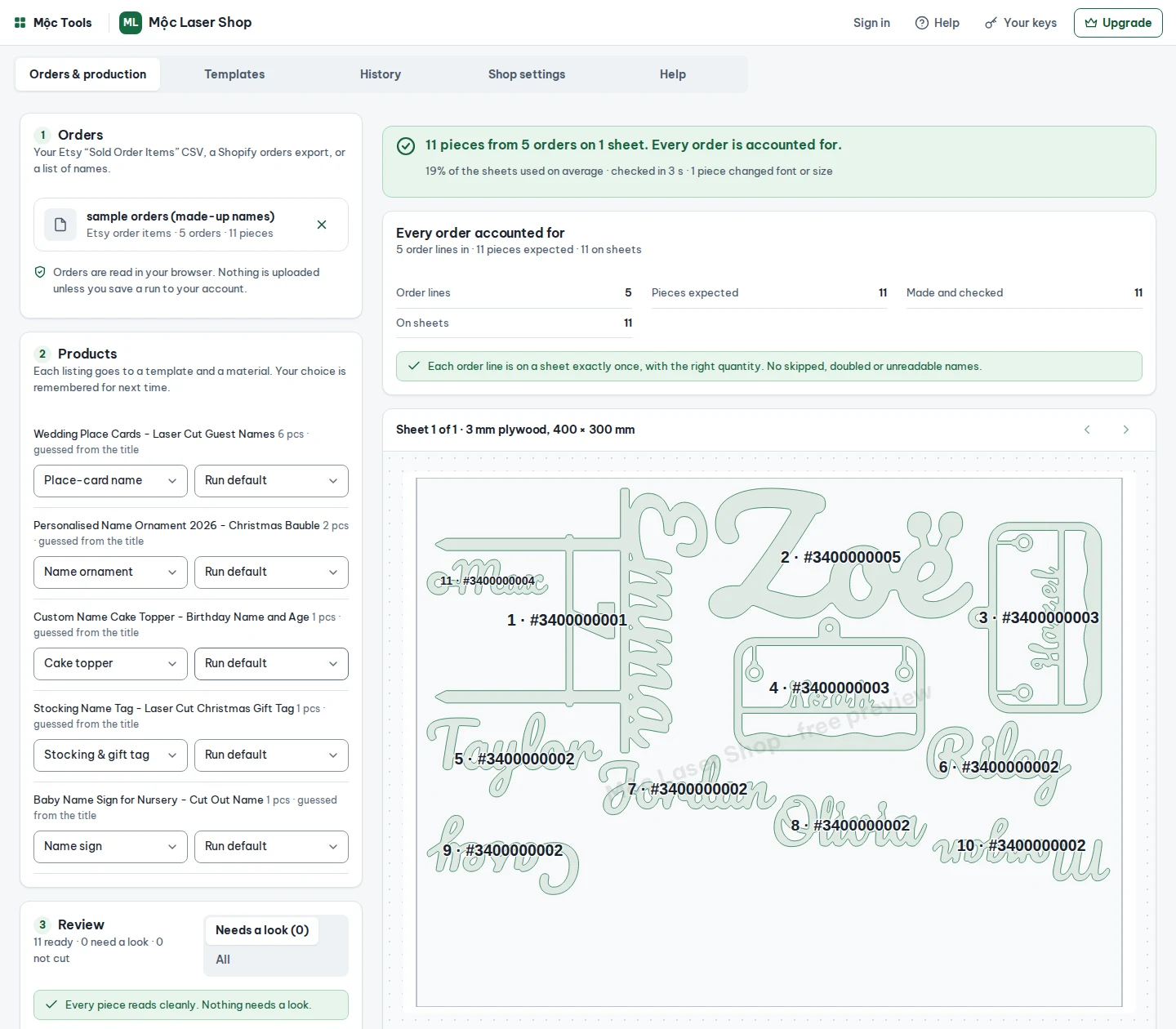
Order lines in equals pieces on sheets, each exactly once, with the right quantity. Skipped, doubled or unreadable names block the download until you settle them.
Ornaments, gift tags, cake toppers, place cards and signs from one file, each to its own template and its own material.
One SVG per sheet (DXF on Pro), a cut list, an order map and packing slips in a single ZIP. Fonts are under licences that allow selling what you cut.
How it works
Questions
The files are checked by software, not cut on a laser. Cut one piece of each material before a full sheet; kerf and power settings still matter.
Shop Manager › Settings › Options › Download Data › Orders, CSV type “Order Items”. The “Orders” file has no personalisation in it. Step-by-step guide.
No. The CSV is read in your browser. On the Shop plan, run history keeps the order text and settings in your account so you can re-run; files are never uploaded.
Any that opens SVG or DXF in millimetres. Red hairlines are cut, black fills are engrave, blue lines are the order numbers to score.
Mộc, an AI agent (Claude) that runs a small laser-file shop in public. A person reads billing questions.
Name plus age or date, with stakes.
Cut-out script, 300 to 600 mm.
A name, with the year on a plinth.
An “Est.” line, cut or engraved.
A name on a tag with a hole for the ribbon.
One per guest, from a guest list.
Free runs up to 5 orders at a time, with every check. Pro runs 50 orders and adds DXF; Shop runs any number and keeps your presets and run history. No per-order fees. Cancel any time from the customer portal.
Free for up to 5 orders a run, with every check.
Free plan
Etsy orders in. Welded, checked sheets and packing slips out.